
Daman Game Account Security: password changes and safer access habits.
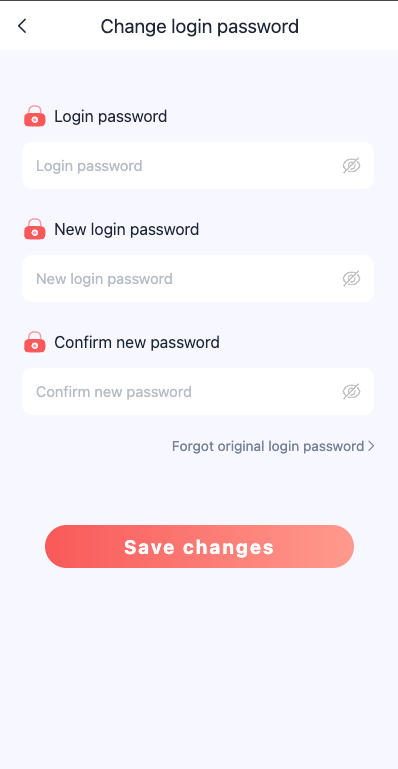
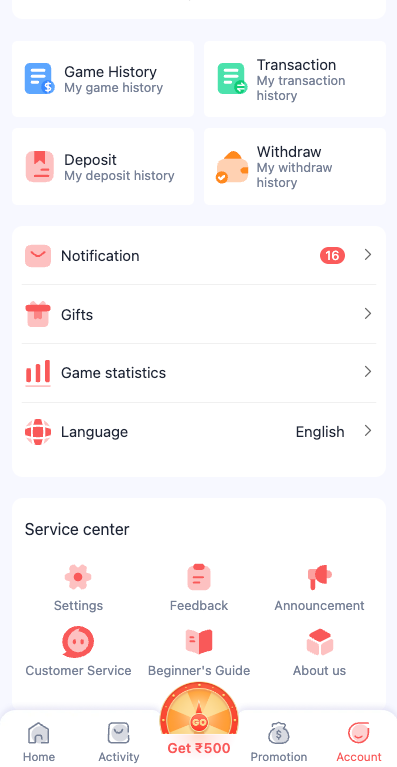
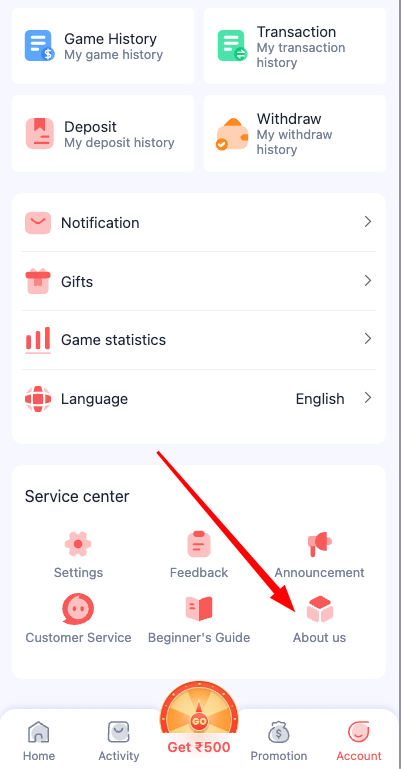
The Daman Game Account Security reference shows a change-password screen with old password, new password and confirmation fields. Other images show the account menu and service section where related controls may be found. Account security starts with understanding these controls and protecting private information.
Passwords, OTPs and recovery contacts deserve more care than any decorative dashboard element. This page explains what to check when updating access, how to recognise suspicious support requests and what to do after an unexpected sign-in.
Changing a password safely
A change-password form commonly asks for the existing password first. That field confirms that the person attempting the change can provide the current credential. Next comes a new password field, followed by a confirmation field to catch typos before saving.
Use a password that is unique to the account, not a short numeric pattern or a phrase reused across other services. A password manager can help create and store longer credentials securely. Avoid saving passwords in public notes, screenshots or chat messages.
After a successful change, a service may require login again on another device. That can be normal. What is not normal is a stranger asking for the old and new passwords together through a social-media message.
Recognising suspicious support activity
A customer-service button inside a platform interface does not make every similarly named phone number or messaging account authentic. Fake support agents often ask for an OTP, insist on an urgent “verification transfer” or send a lookalike login link. Treat these requests as signs of possible fraud.
Before following a support link, check whether it was opened from the expected account area or arrived unexpectedly through an external message. Never give an OTP, password or complete banking credential to a person who initiates contact.
If an unfamiliar device seems to have access, change the password using a trusted route and review any available login-session or device-management settings. Where a service supports an additional authentication factor, use it.
See the relevant Daman Game screens.
Account menu
Shortcuts to account settings and support features.
Change-password form
Existing password, new password and confirmation fields.
Service and About options
Service-related menus and agreement links.
When account recovery is needed
A forgotten password is different from a routine password update. The normal change-password screen usually requires the old password, which a locked-out user may not know. In that case, the recovery option on the login screen is more relevant.
Use the Daman Game Login page for the phone/email tabs and the visible recovery link. This page focuses on security after access exists and on recognising the correct settings. Do not keep repeating failed password-change submissions when the required current password is unavailable.
Choosing a password that protects more than a single login
The Daman Game Account Security screenshot shows fields for the current password, a new password and a confirmation. Each field has a separate purpose. The current-password entry is generally an ownership check; the new-password field defines the replacement; the confirmation makes sure it was typed as intended. This structure is different from the register screen, which is for choosing an initial password. Keeping that distinction clear helps prevent people from confusing a change-password form with a forgot-password recovery flow.
The strongest everyday improvement is using a unique password. If the same password is used for email, payments and a gaming-related account, one exposed service can put several unrelated accounts at risk. A password manager can generate and store unique values without requiring a person to memorise all of them. If a manager is used, protect the device and its master password too. Changing a password frequently for no reason is less useful than changing it after suspected exposure.
Never share the current password with someone who claims to work in support. A screenshot of a filled password field or a saved-password list should not be sent as proof of ownership. The image supplied here is used only to identify the form elements. Our page does not ask for passwords, store credentials or provide account access.
Recognising impersonation and recovery scams
Fake support messages often use urgent language: an account will be closed, a balance will disappear or identity verification must happen immediately. The request may arrive from a messaging account using the same logo as the platform. A logo alone does not establish who controls the account, and a familiar display name can be copied. The safest approach is to verify the communication route independently instead of using the link included in the message.
A request for an OTP is another warning sign. A one-time code can authorise access or sensitive changes, so it should not be read aloud or forwarded to another person. A support agent who asks for a banking PIN, email password or remote-control application is crossing a dangerous boundary. If the person also asks for a payment to unlock the account, treat that as an additional red flag. Screenshots of support chats should be kept private if they contain numbers, addresses or other identifiable details.
If access is compromised, prioritise the email or phone number associated with the account, since those channels may also control recovery. Review recent device sessions if the service offers them and update reused passwords on unrelated services. When a financial issue is involved, contact the bank or payment provider separately through its known channels. Our account-security page emphasises these practical precautions rather than generic claims of perfect platform safety.
Reading account and service-center menus responsibly
A security setting may be reachable from the account menu, while a service-center entry might sit under a different icon. The screenshots show both kinds of navigation. On a small screen, the menu may include transaction records, game history, notifications and other features alongside account-related entries. The presence of these items does not mean all of them are security settings. Choose the one that matches the problem instead of altering unrelated account information.
The change-password form is appropriate when the current password is known and the service allows an ordinary update. A forgotten password is a different situation: it may require identity verification or a separate recovery method. A general support channel is another fallback when the on-screen route is unavailable. The page explains that distinction without claiming that any particular operator currently offers a specific recovery mechanism or response time.
Some security mistakes are caused by the browser rather than the account itself. Autofill may insert an old password, a public computer may retain a session, and a copied URL may lead to a lookalike site. Checking the address before entering details and locking a personal device are simple habits that help across services. These are the useful lessons supported by the screen structure, and they remain relevant even if the interface design changes.
Account Security FAQs
Which fields appear in the Daman Game change-password screen?
The reference shows old password, new password and confirm-password fields.
Should anyone share an OTP with customer support?
No. OTPs and passwords should not be disclosed to unsolicited callers or messaging accounts.
What if the old password is unknown?
Use the normal recovery option rather than guessing repeatedly in a change-password form.
What makes a new password safer?
A unique, sufficiently long password that is not reused on other services is generally safer than a short predictable pattern.